The drawing package for a lead
Open the package made from a homeowner's drawing, add the lot lines if it asks, and print or save the sheets as a PDF.
Drawing package for your permit application
These are drawings to support an application. Requirements differ by municipality. Check with your local building office. If they ask for an engineer’s stamp, that is a separate step and is not included.
A lead that came with a drawing can have this package. It is made from the lead's design, with your logo and name on the sheets.
Steps
- Open the lead. Under Status, press the package button. If you do not see it, the lead has no drawing, or the package is switched off for now.
- The page opens with the lines above and "Made from" the homeowner's name and address.
- If a card says The site plan needs the lot, press Add the lot lines.
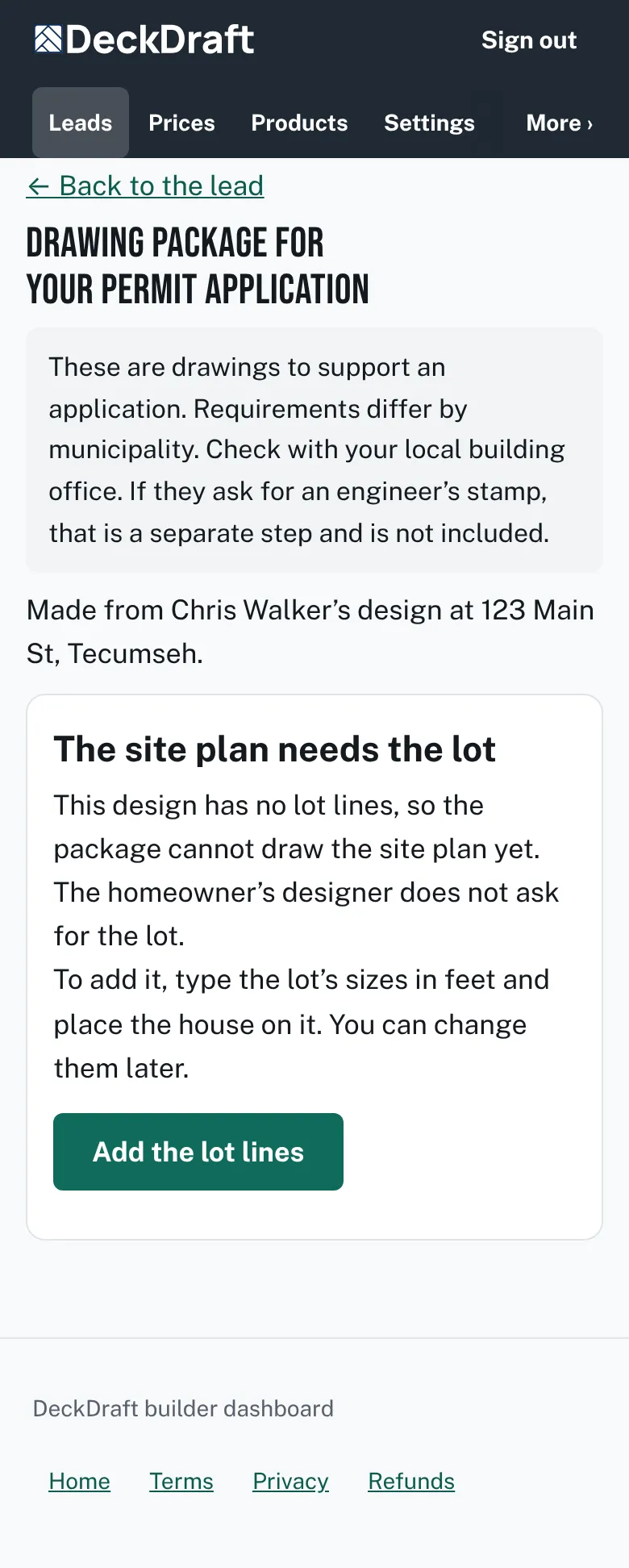
The package page with its heading and two fixed lines of text, a card called The site plan needs the lot, and an Add the lot lines button. - Choose a lot shape, type the lengths in feet, and press Next: place my house.
- Move the house on the lot, then press Use this lot and house.
- Press Print or save as PDF. In the print window, choose Save as PDF to keep a copy.
- Under Site plan, pick Letter or A4 in Paper size.

Good to know
- A lead the homeowner described instead of drawing has no package. The page says so.
- The lot you type is kept in that lead. For a fence, Change the lot lines lets you edit it later.
- Nothing is sent to the homeowner. The sheets are only for you to print or save.
- The new-lead email also links to the package when the lead has a drawing.
- Read more about the lead itself: What comes with a lead.
Checked against the product on 2026-11-19.