Download your leads and a lead's files
Save all your leads as a CSV file, and save a lead's pictures and design file from its page. Only you and your team can do this.
You can keep a copy of your leads outside DeckDraft. This is for you and your team only. Homeowners cannot export, download or print a design.
Steps
- Open Leads.
- Press Download all leads (CSV). A file named leads with today's date opens in your downloads, ready for a spreadsheet.
- To save one lead's files, open the lead and open Pictures and files.
- Press Download beside the Plan drawing, the 3D picture or a Photo.
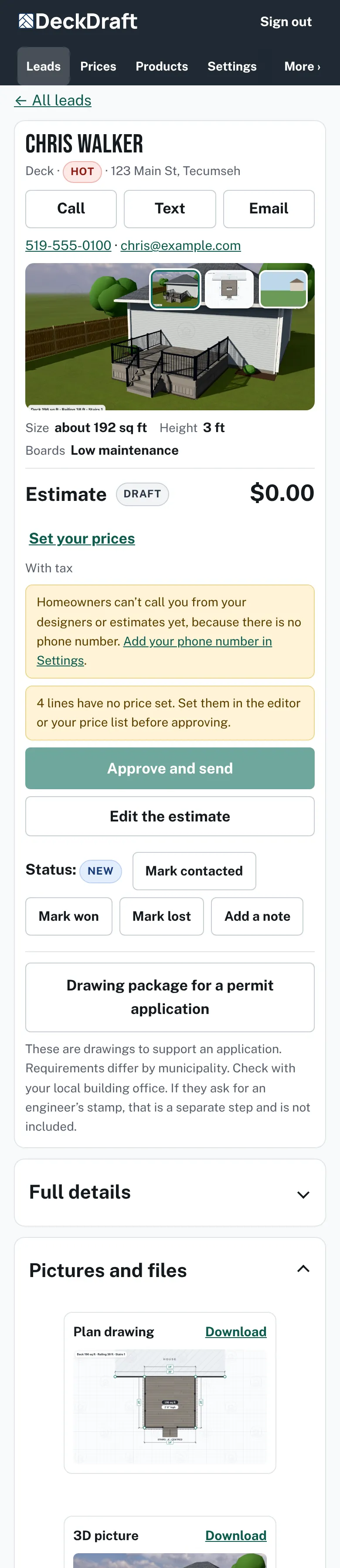
A lead page with Pictures and files open, showing the plan drawing, the 3D picture and a photo, each with a Download link. - Press the button for the design file (JSON) under the pictures to save the lead's design. It shows only on leads that have a design.

Good to know
- The CSV has one row per lead, with columns such as Received, Name, Email, Phone, Address, Status, Priority and Your notes. Your notes are your own notes from the lead page.
- Test leads are left out of the CSV.
- A lead with a drawing has a link in the Design link column. It opens the lead after you sign in.
- If your plan ends, the Leads page says how long you can still read and download your leads: If your plan ends.
- The pictures on each lead are also attached to the lead email: What comes with a lead.
Checked against the product on 2026-11-19.