Saved designs and Unfinished designs
What a homeowner sees when they save a design to finish later, and where you see it on your Unfinished designs page.
A homeowner who is not ready to send can save their design and come back to it. You see each saved design in your own list.
What the homeowner does
- They draw something in your deck or fence designer.
- They press Save. On a phone, it is under More.
- A sheet opens: Email me a link to finish later. It says your company name will get their design and email, and may send a reminder.
- They type their email and press Email me the link.
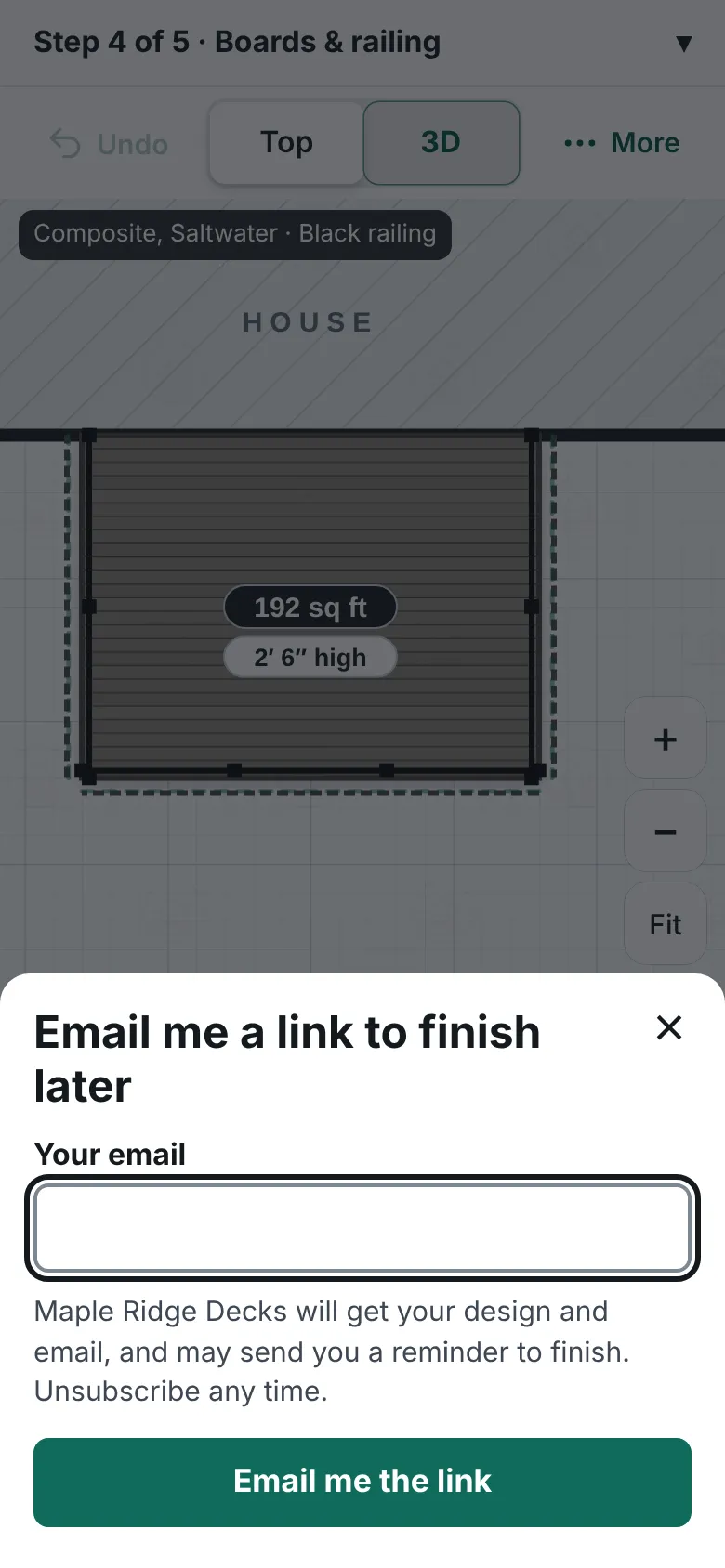
The deck designer with a sheet open called Email me a link to finish later, with an email box and an Email me the link button. - The sheet then says "We sent a link to" their address.
- They open the emailed link on any device. The designer opens with their design, and a note says "We opened your saved design."

What you do
- Open Leads, then select Unfinished designs.
- Read each row: the email, the design summary, the saved date, how many times the link was opened, and how many reminders went.
- Press Remove to delete one. Their link then stops working.
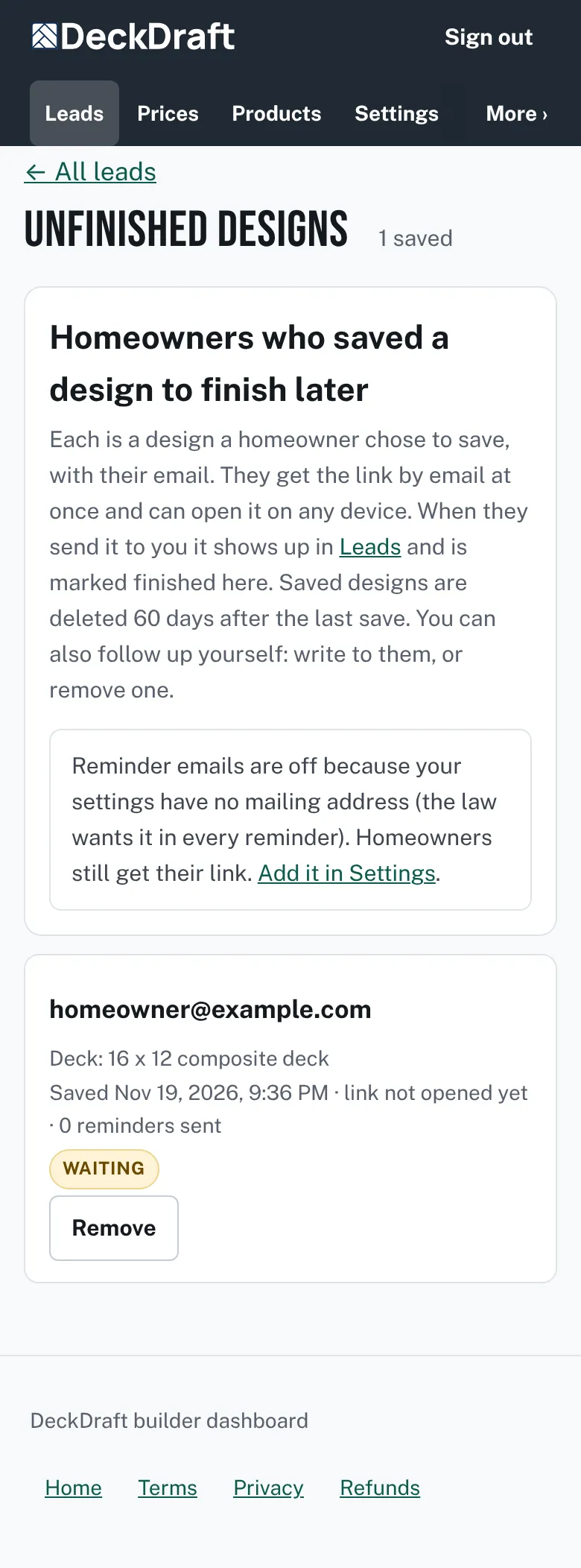
The Unfinished designs page listing one saved design with the homeowner's email, a short summary, the saved date, a Waiting tag and a Remove button.

Good to know
- The status tag is Waiting, Finished, Unsubscribed or Email failed. When they send the design to you, it becomes a lead and the row says Finished, with a link to the lead.
- Reminder emails need a mailing address in Settings. The page tells you when they are off. The link email they asked for is always sent.
- A saved design opens again in the designer. It is not a file. Homeowners cannot export, download or print a design.
- If Unfinished designs says it is not part of your plan, the page shows what adds it.
- More about leads: Read your Leads list.
Checked against the product on 2026-11-19.