The designer does not show on my website
Check the pasted line and that your website's address is listed under Website domains, then see what the page itself tells you.
The designer only shows on websites you have listed. Browsers refuse to put it in a frame anywhere else.
Steps
- Open Embed. The first item under Before you go live says Registered: with your domains, or No domain is registered yet.
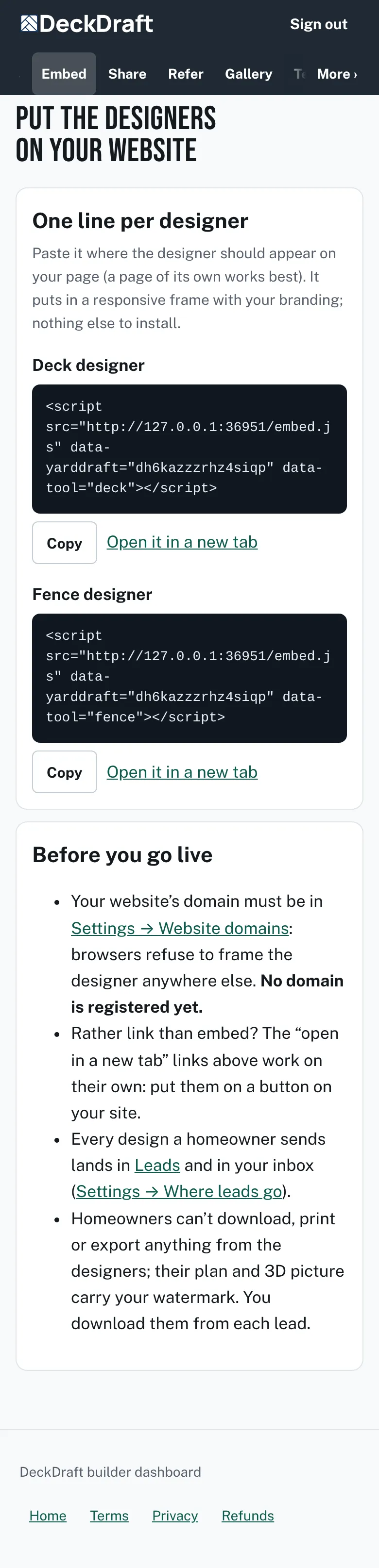
The Embed page with one line of code for each designer and the Before you go live list. - Open Settings and go to Website domains.
- Type your website in Domains, such as yourcompany.com. Separate several with commas. www. is added for you.
- Tap Save settings. If it asks for a phone number, add one and save again.
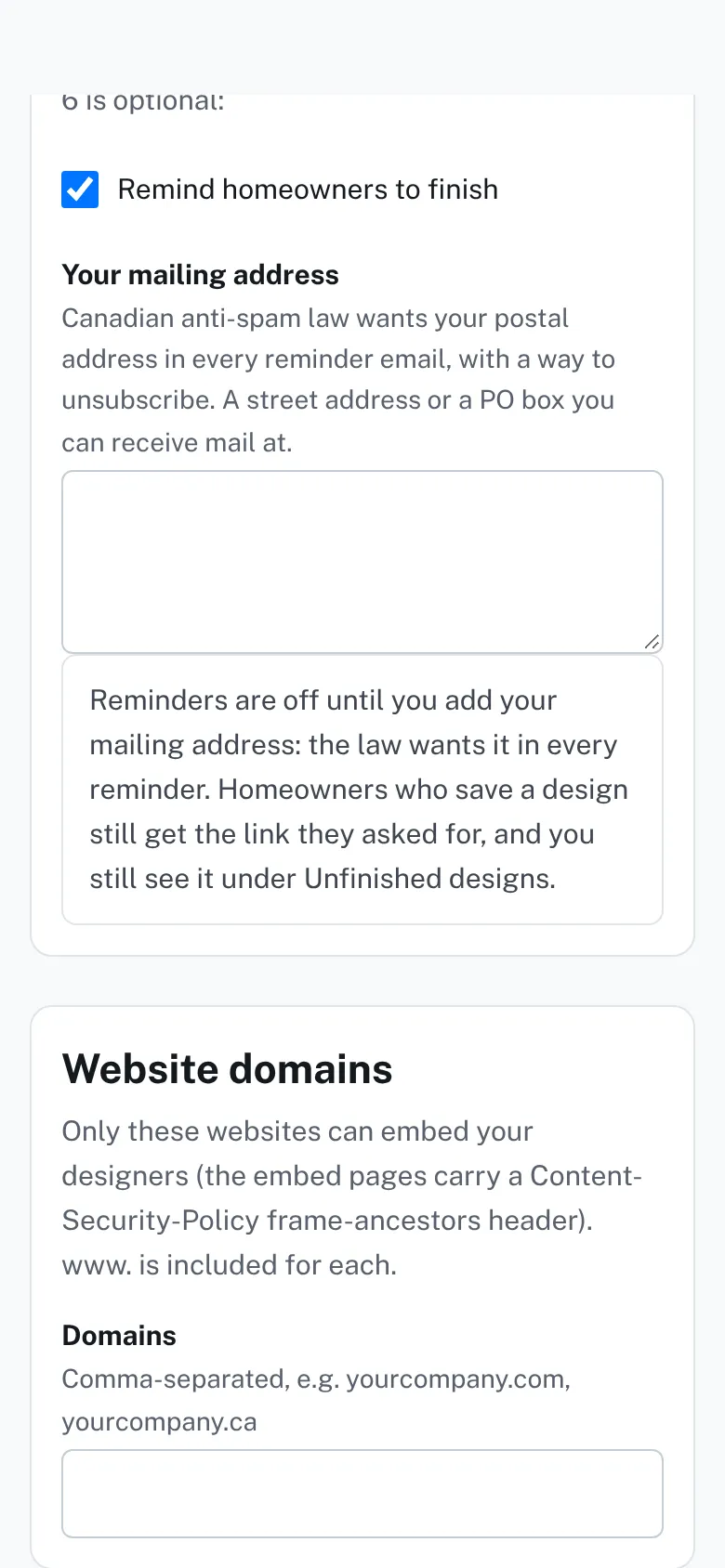
Settings, section Website domains, with the Domains box. - Check that the page holds the whole line from Embed, with your key and data-tool.
- Open Open it in a new tab under the designer. If it works there, the problem is the domain or the page.


Good to know
- Each address is matched on its own. The list allows the https:// address and its www. twin.
- After about 15 seconds with no designer, the embed line adds this note: “The designer could not be shown here.” It tells you to check Settings → Website domains.
- Rather link than embed? Put the Open it in a new tab link on a button on your site.
- If the page says This designer isn’t set up for this website, the website is not on the list yet.
Checked against the product on 2026-11-19.