Versions, choices and extras on an estimate
Offer a homeowner a choice of boards or railing, optional extras, or a second whole-job version, and see what happens after you send.
An estimate can be more than one list of lines. You can let the homeowner choose between options, add extras, or pick one of two whole jobs.
Steps
- Open the lead and the Estimate editor.
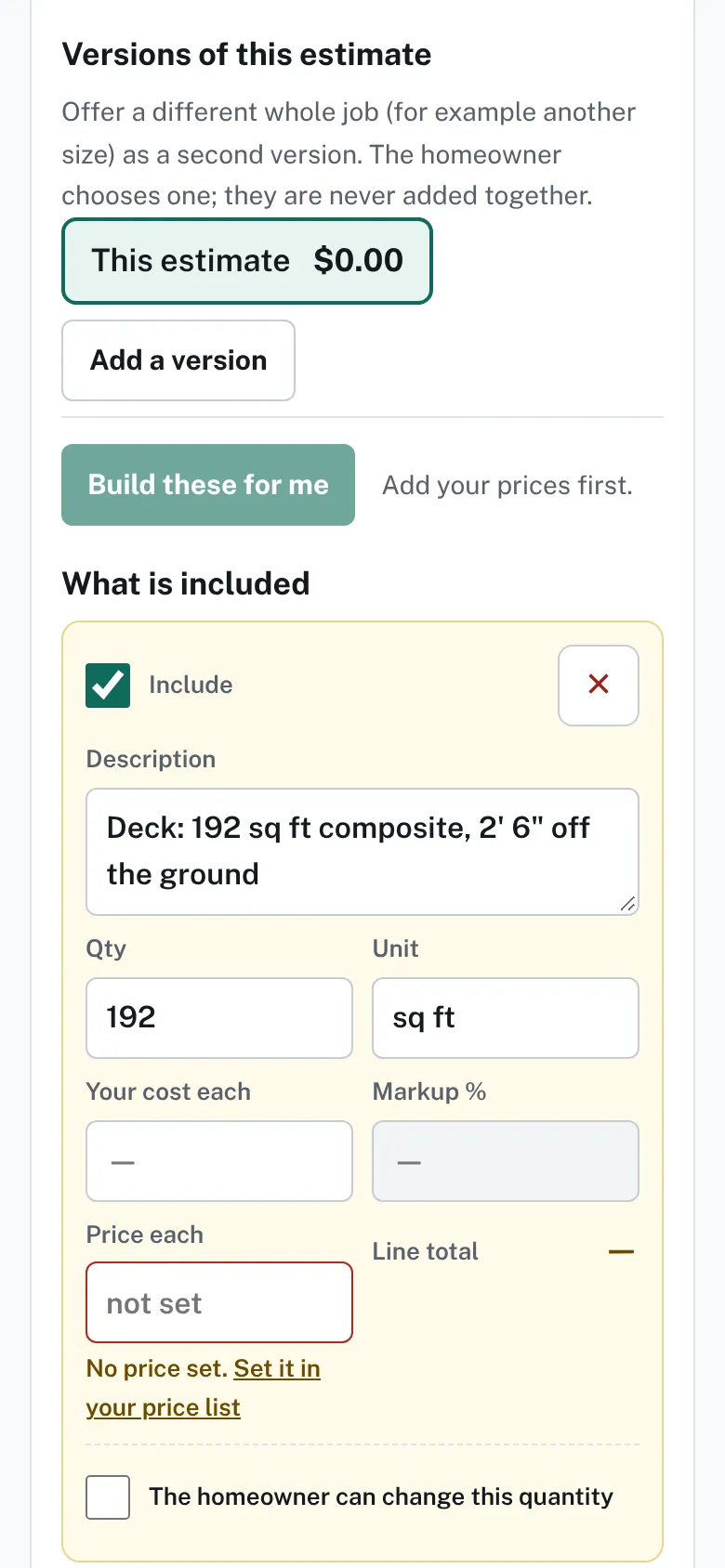
The top of the Estimate editor with the Versions of this estimate area, an Add a version button and a Build these for me button. - Press Build these for me to have choices and extras proposed from the design and your prices. A note says what was built and what was left out.
- Or press Add a choice for an either/or, such as boards or railing. Mark which alternative is In the total.
- Press Add an extra for something optional. Tick Offer it to the homeowner. Start ticked puts it in the total until they untick it.
- Press Add a version for a different whole job. Type a Name, then pick Start from: a copy, the design at a new size, another design by this homeowner, or Blank.
- Press Add this version. With two versions, give each a name.
- Press Save draft, then Approve and send.

After you send
- The card says "Not opened yet" until the homeowner looks. Then it shows when they last looked.
- The homeowner sees the lines, the tax and the total, and can accept by typing a full name. Accepting takes no payment.
- When they accept, the card names who accepted and the total, and View accepted copy appears.
- After the Valid until date they can still see the estimate but cannot accept it.
Good to know
- Versions are never added together. The homeowner chooses one.
- Build these for me needs your prices. Rows with no price are not proposed.
- The homeowner can change this quantity lets a line have a smallest, largest and step.
- A sent version is locked. Revise and resend makes a new one, and the homeowner keeps seeing the old one until you send it.
- Back to Check and change a draft.
Checked against the product on 2026-11-19.