What a draft estimate is
Each deck or fence lead with a design can arrive with a draft estimate, worked out from the design and your prices, for you to check before sending.
A draft estimate is a first price for a lead, worked out for you. It uses the measurements in the homeowner's design and the rates you typed on the Prices page.
Steps
- Type your rates on Prices. See Type your prices.
- Wait for a homeowner to send a deck or fence design.
- Open Leads and click the lead.
- Find the Estimate card under the homeowner's name and contact buttons.
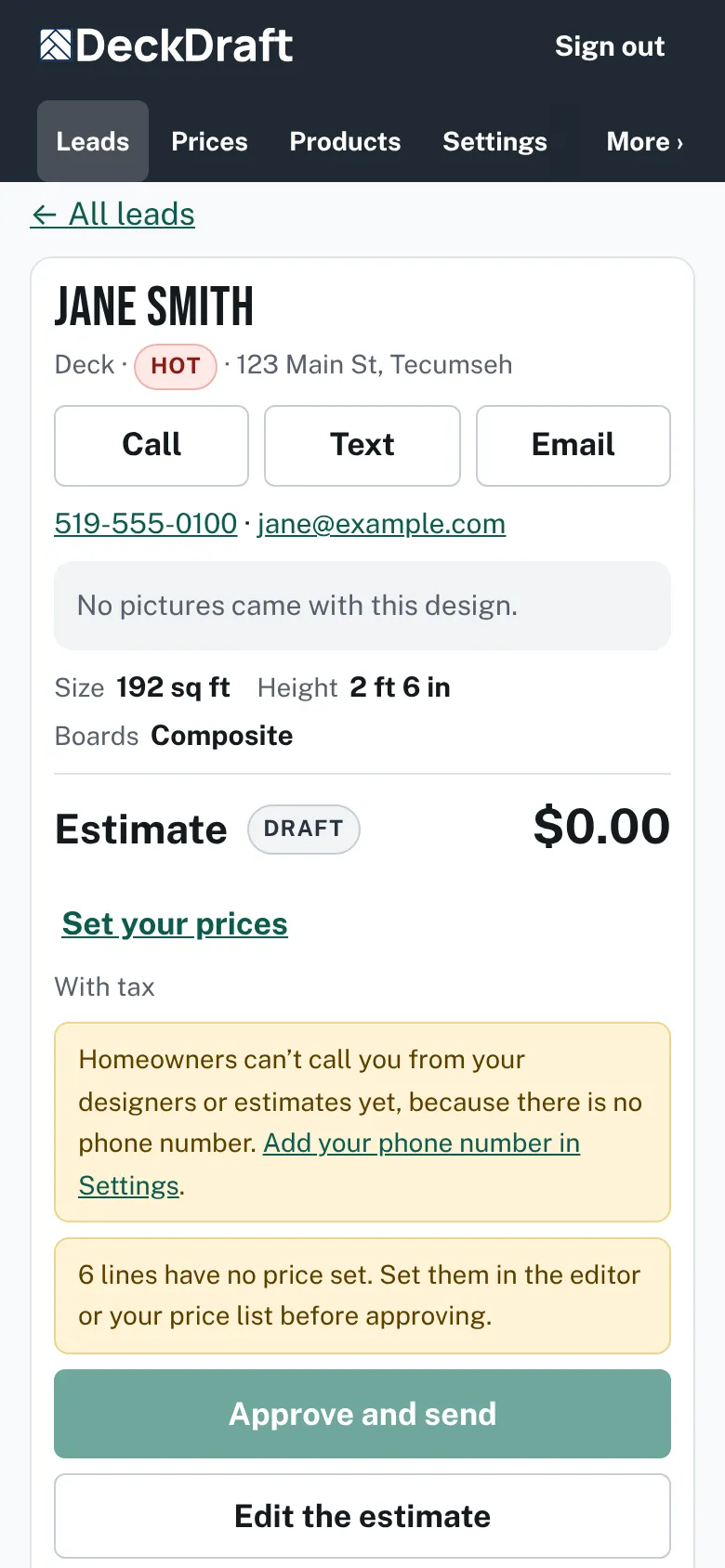
A lead page with the Estimate card showing a Draft badge, a total, a Set your prices link, notices about lines with no price, and the Approve and send and Edit the estimate buttons. - Read the badge, the total and any notices.
- Press Edit the estimate to open the Estimate editor lower on the page.

What you will see
- The badge says Draft until you approve it. After you send it, the badge changes to Sent, then Viewed, Accepted or Expired.
- Each line comes from the design, such as deck boards, footings, fascia, stairs, railing and skirting.
- A line whose rate you left empty says "No price set" and counts as nothing. It is never shown as zero dollars.
- If you have no prices yet, the card shows a Set your prices link.
Good to know
- The homeowner sees nothing until you send the estimate. Your rates are shown to them only if you tick Show my rates on estimates.
- The first time you open a lead after typing prices, the draft is saved, so the Leads list can show its total.
- On the Leads list, Sort has Biggest estimate first. A sent estimate shows its total on the lead's row.
- A lead without a drawing, such as a test lead, starts with no lines. You can add your own.
- Next: Check and change a draft.
Checked against the product on 2026-11-19.