Put the designer on your website
Copy one line of code from the Embed page, paste it on your site, and register your domain so the designer can show there.
The Embed page gives you one line of code for each designer. Paste it into a page on your website and the designer appears there, in your branding.
Steps
- Open Embed. Read Before you go live at the bottom.
- Look for "No domain is registered yet." If you see it, open Settings.
- In Domains, type your website's domain, such as yourcompany.com. Separate several with commas.
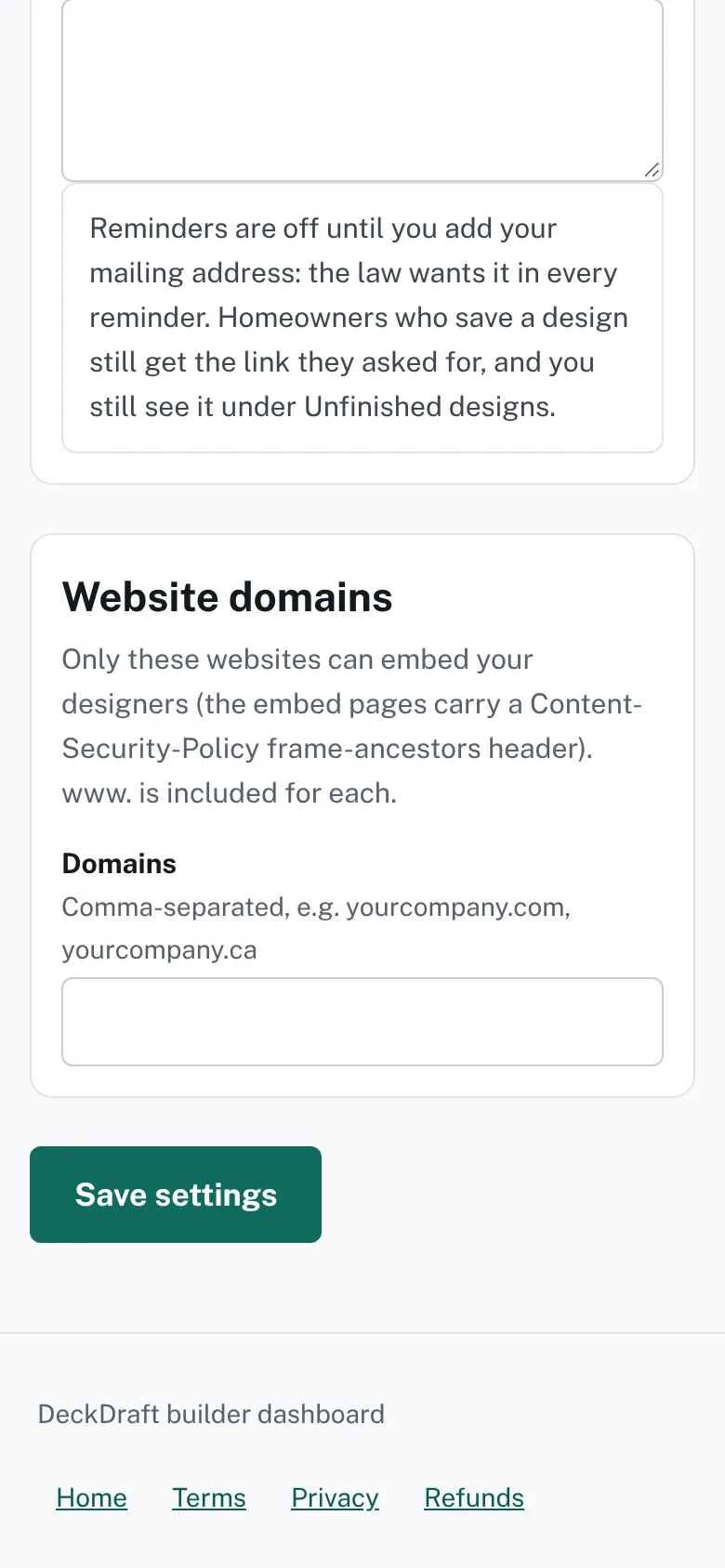
The Website domains card in Settings with a Domains box for the sites that may show your designers. - Press Save settings, then go back to Embed.
- Under Deck designer, press Copy.
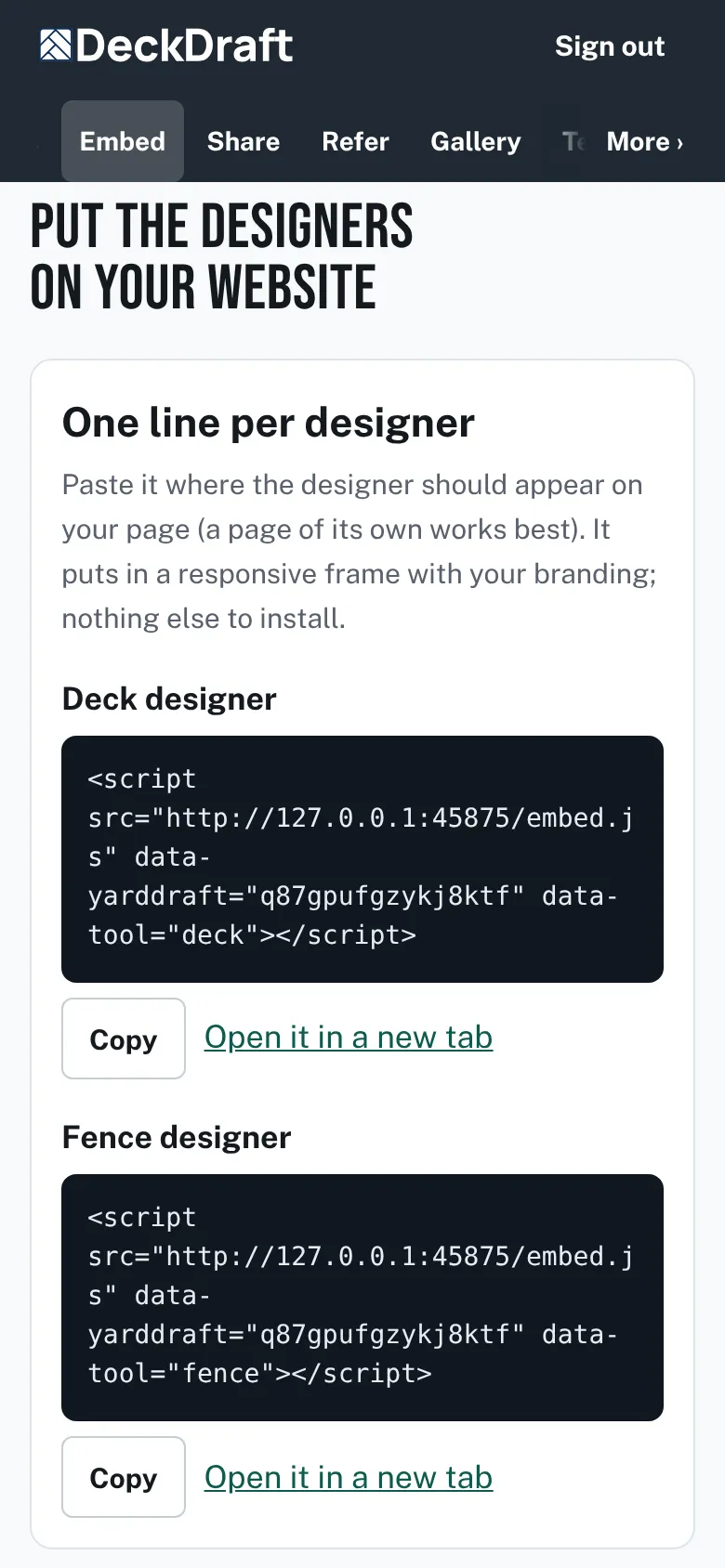
The Embed page with a one-line code box and a Copy button for the deck designer and for the fence designer. - Paste the line into your page where the designer should appear.
- Repeat with Fence designer if you want the fence designer too.
- Open your page. Use Open it in a new tab to compare.


What a visitor sees
A homeowner sees the designer in a frame on your page. The deck designer shows five steps: Your house, Your deck, Height & stairs, Boards & railing and Send.

Good to know
- The domain you typed at sign-up is registered for you. The Embed page shows which domains are registered.
- Only registered domains can show the designers. Browsers refuse to frame them anywhere else.
- Rather link than embed? Put an Open it in a new tab link on a button on your site.
- Every design that is sent lands in Leads and in your inbox.
- Homeowners cannot download, print or export anything from the designers.
Checked against the product on 2026-11-19.