What DeckDraft does for a builder
DeckDraft puts a deck designer and a fence designer on your website, in your branding, and sends you every design a homeowner sends.
DeckDraft gives your website a deck designer and a fence designer. A homeowner draws a project, sends it to you, and you get a lead with the design in it.
How it works
- You sign up and add your name, phone, logo and colors in Settings.
- You choose what homeowners can pick on the Products page.
- You paste one line of code on your website, or share the designer link.
- A homeowner draws a deck or a fence and sends it to you.
- The design arrives in Leads and in your email, with the plan and 3D picture.
- If you typed your prices, the lead already has a draft estimate. You check it, change it and send it.
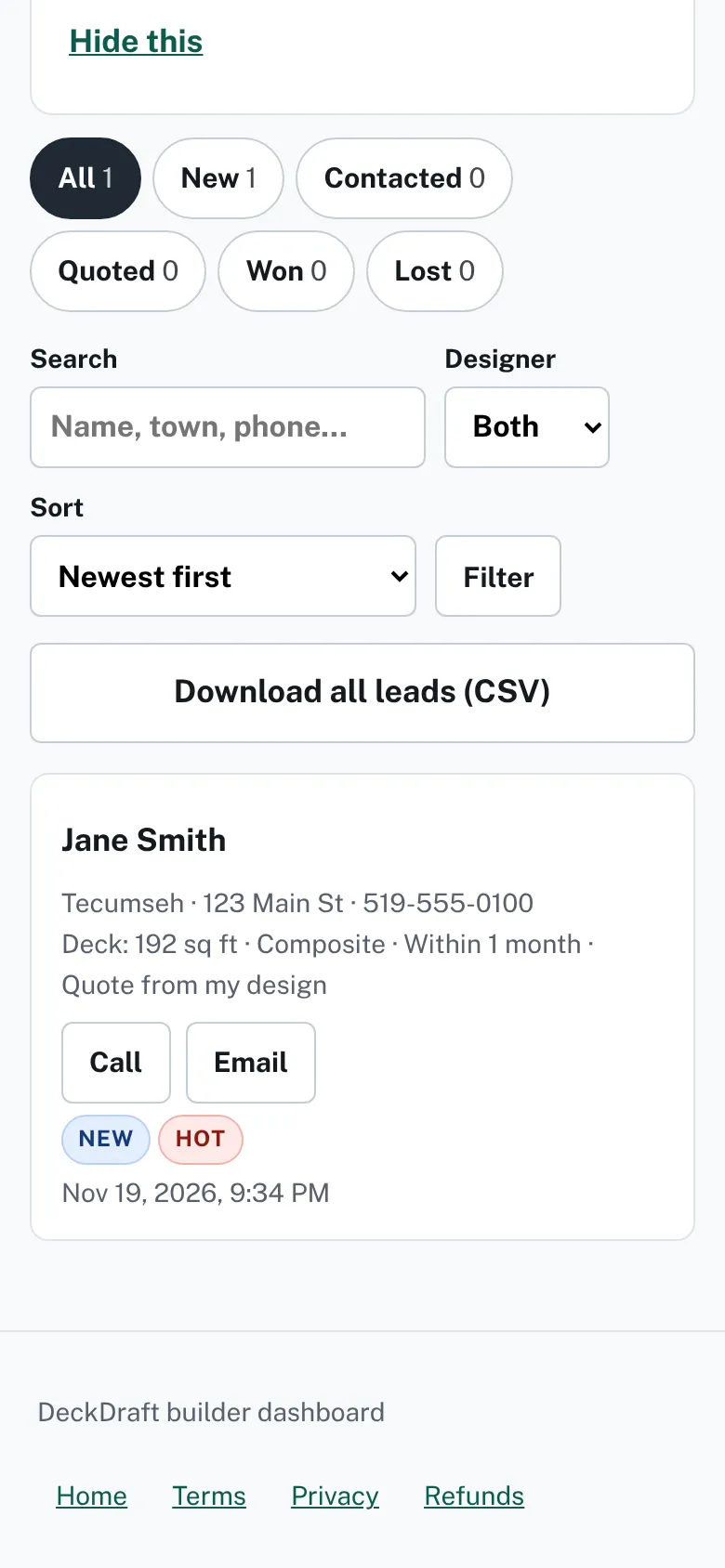
The Leads page with its status tabs, search box, designer filter and the Download all leads (CSV) button.

What else is in your dashboard
- Share has your designer link, a QR code and ready-made posts.
- Unfinished designs lists homeowners who saved a design to finish later.
- Team lets you invite people to see your leads.
- Download all leads (CSV) on the Leads page gives you every lead as a spreadsheet file.
Good to know
- Homeowners cannot download, print or export a design from the designers. You download the plan and 3D picture from each lead.
- A homeowner only sees an estimate after you approve and send it.
- To get started, read Sign up and confirm your email, then Your first ten minutes.
Checked against the product on 2026-11-19.